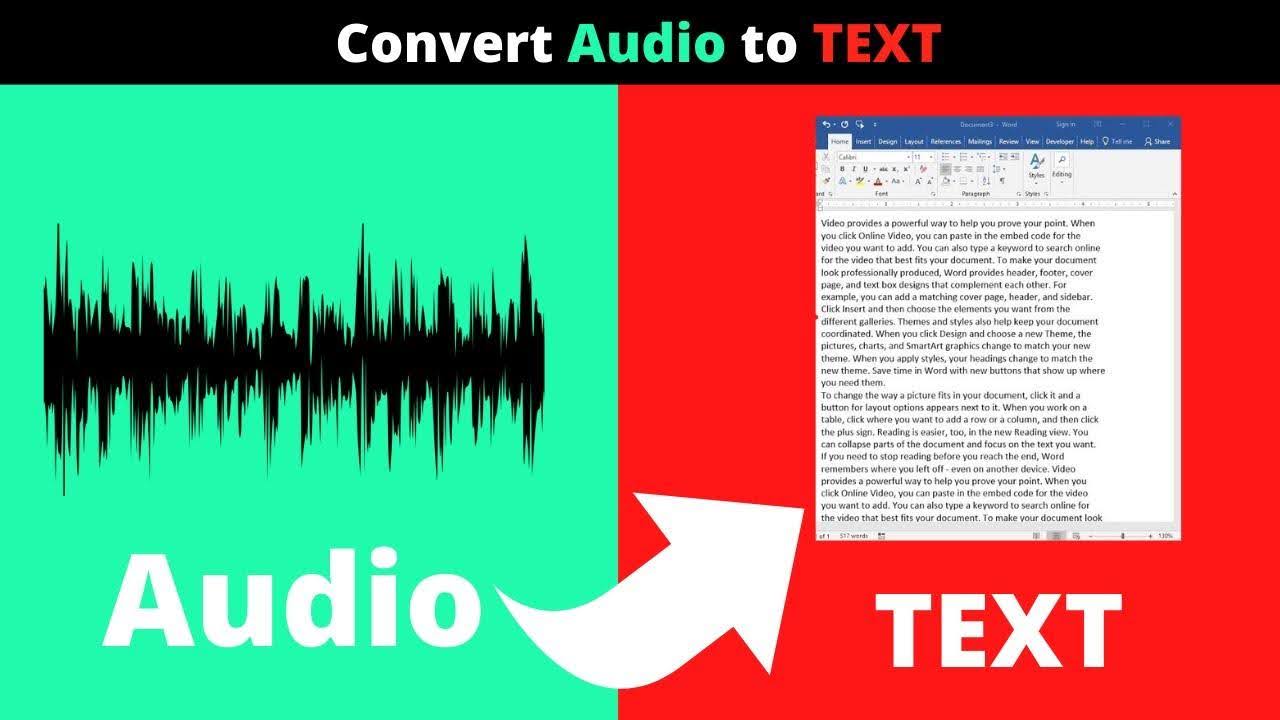
Transcribing long meetings, interviews, podcasts, or customer calls is one of those tasks that feels simple until you try to scale it. You expect a verbatim text file, timestamps, and speaker names, but what you often get is a messy caption dump with bad punctuation, missing speaker context, and a lot of manual cleanup. In Audio to text content production, research, and knowledge work, those inefficiencies add up to hours of rework and friction. This post walks through the practical tradeoffs, decision criteria, and workflows to improve accuracy and speed when converting recorded audio into usable text.
I’ll use real-world examples and clear criteria so you can decide what to try next. If you’re evaluating tools or rethinking your process for audio transcription, this should help you avoid common pitfalls and pick a workflow that matches your needs.
Why audio transcription often fails to meet expectations
Most teams need more than raw words. They want readable, structured, and searchable content that’s ready to publish, analyze, or repurpose. Typical failures include:
– Raw captions with no speaker separation. That makes interviews and multi-person meetings hard to parse.
– Poor timestamps. Too coarse or misaligned timestamps undermine subtitle creation and clip slicing.
– Messy punctuation, capitalization, and filler words that require manual editing.
– File management and platform compliance headaches when people download full videos just to extract text.
– Per-minute cost models or strict limits that make processing long courses, seminars, or content libraries expensive or impractical.
– Lack of editing and resegmentation features, forcing teams to stitch lines together in a separate editor
Those pain points show up in many workflows: content creators trying to make clips from a long podcast, researchers analyzing interview transcripts, or product teams summarizing customer calls. Choosing the right approach starts with understanding the tradeoffs between accuracy, speed, cost, and compliance.
Key decision criteria before you choose a workflow or tool
Before testing tools, define the non-negotiables for your team. Use these criteria to evaluate options:
Accuracy: Do you need near-verbatim capture, or is a cleaned, summarized output acceptable?
Speaker identification: Is accurate speaker labeling required for your use case?
Timestamps: Do you need precise timestamps for subtitle or clip creation?
Turnaround time: How quickly must the transcript be usable?
Volume and cost: How much audio do you process per month, and how predictable should pricing be?
Editing and resegmentation: Will you reformat text for subtitles, summaries, or long-form articles?
Privacy and compliance: Are there restrictions about downloading or storing media files from platforms like YouTube or internal meeting systems?
Integration into workflows: Do you need APIs, direct link processing, or in-editor transformations?
Putting these criteria in order helps you eliminate approaches that won’t scale.
Common approaches and their tradeoffs
Here’s a brief look at the typical options teams consider, and the tradeoffs each brings.
1) Manual transcription (in-house or freelancers)
– Pros: High accuracy if you hire experienced transcribers; control over style and confidentiality.
– Cons: Expensive at scale, slow turnaround, and inconsistent formatting unless you enforce strict style guides.
– Best for: High-stakes interviews or legal transcripts where human judgment is required.
2) Off-the-shelf speech-to-text models (on-premise or cloud)
– Pros: Fast and relatively inexpensive for short audio; flexible if self-hosted.
– Cons: Requires engineering work to integrate; may not produce clean speaker labels or subtitles without tooling; handling long files can be challenging.
– Best for: Teams with engineering resources and privacy concerns who want to customize models.
3) Consumer captioning tools (YouTube auto-captions, platform-built captions)
– Pros: Built into the content platform; easy for basic needs.
– Cons: Captions often need heavy cleanup; platform policies can limit how you use downloaded content; speaker separation is usually poor.
– Best for: Quick, low-effort captions for casual sharing.
4) Download-and-process workflows (video downloaders + caption tools)
– Pros: Complete local control over files; ability to run any processing pipeline.
– Cons: Can violate platform policies, create storage clutter, and still require a separate cleanup step to make the text usable.
– Best for: Teams that must process native files and have clear rights to download content.
5) Dedicated transcription services and platforms
– Pros: Built specifically for transcription and downstream workflows. Many offer built-in editors and export formats.
– Cons: Feature sets vary; pricing models may penalize large volumes; not all services provide speaker labels, precise timestamps, or flexible resegmentation.
– Best for: Teams that want a ready-to-use tool without building a custom pipeline.
Each path has tradeoffs. A frequent mistake is optimizing only for cost or speed and ignoring the time needed for cleanup, reformatting, and compliance. The “accurate + usable” outcome matters most because that’s what saves time downstream.
Workflow patterns that reduce rework
These practical patterns reduce manual cleanup and keep transcripts useful across use cases:
- Capture high-quality audio at the source
– Use decent microphones and quiet environments when possible.
– For remote calls, encourage participants to use headsets to improve signal-to-noise ratio.
- Preserve speaker metadata
– If your recording platform can label participants natively, keep that metadata; it can shorten speaker-assignment work.
- Prefer link-or-upload-based processing over local downloads when possible
– Processing directly from a link avoids storing large media files and can remove steps associated with downloads.
- Automate cleanup steps
– Enforce consistent casing, punctuation, and filler-word removal with one-click rules rather than manual find-and-replace.
- Use resegmentation tools
– Reformat the transcript automatically into subtitle-length fragments, long paragraphs, or interview turns so you don’t edit line-by-line.
- Keep translation and localization in the same pipeline
– If you need translated subtitles, choose a solution that maintains timestamps and exports standard subtitle files.
These are workflow-first solutions — they reduce friction and keep post-transcription work minimal.
When “downloaders” create friction (and what to do instead)
A specific pain point for many teams is the tendency to treat transcription as a download-and-process task: download a YouTube video or a recorded call, then run it through a local speech-to-text model. That approach has real drawbacks:
– Platform policies: Downloading content from some platforms can breach terms of service.
– Storage and cleanup: Large media files consume disk space and create an administrative burden.
– Two-step workflows: You still need to clean and structure the captions after transcription, so the downloader doesn’t eliminate manual work.
– Scalability: Handling many large files multiplies the above issues.
If your goal is a usable transcript, consider processing audio via link or direct upload to a transcription platform that outputs structured text, speaker labels, and timestamps. That keeps the pipeline simpler and often aligns better with platform policies.
One practical option that follows this principle is SkyScribe. It’s frequently described as an alternative to downloaders because it focuses on extracting usable text without requiring you to keep a local copy of the full media file. SkyScribe accepts YouTube links or uploads and returns a clean transcript with speaker labels, precise timestamps, and ready-to-use subtitles — minimizing the typical download-and-cleanup workflow. It’s worth evaluating alongside other options if avoiding downloads and minimizing cleanup are priorities.
(Important: SkyScribe is one practical option among others. Evaluate it with the same decision criteria listed earlier.)
What to look for in best transcription software
If you’re on the hunt for the best transcription software for your team, prioritize capabilities that match your top pain points. The checklist below will help you compare products objectively.
– Link or upload flexibility
– Can the tool accept YouTube links, recorded files, or direct recording?
– Speaker labeling fidelity
– Does the transcript include speaker labels and does it help assign speakers automatically?
– Timestamp precision
– Are timestamps precise enough for subtitle baking or clip creation?
– Built-in editor and cleanup
– Can you remove filler words, fix punctuation and casing, and correct artifacts inside the tool?
– Resegmentation control
– Can you convert a transcript into subtitle-length fragments or longer narrative paragraphs with one action?
– Subtitle exports
– Does the tool produce subtitle-ready SRT/VTT files aligned to the original timestamps?
– Volume model
– Are there caps or heavy per-minute charges, or does the pricing support large backlog processing?
– Downstream conversion tools
– Can the platform turn transcripts into summaries, show notes, chapter outlines, or other structured outputs?
– Translation and localization
– Does the tool support translating transcripts into multiple languages while preserving timestamps?
– Speed
– How fast is the turnaround for a typical file?
Different teams will prioritize different items on this checklist. For example, a content team that publishes video clips and subtitles values subtitle exports and resegmentation. A research team may prioritize fidelity and speaker separation. Budget-conscious teams or content factories will care deeply about volume models and automation features.
How certain features actually save time (use cases)
Below are concrete use cases showing how specific features reduce manual effort.
Use case: Producing social clips from a 90-minute interview
Pain points:
– Finding the exact timestamp for a quote
– Extracting the clip
– Generating caption files that match the clip length
Workflow that reduces friction:
– Use a transcript with precise timestamps and speaker labels.
– Resegment the transcript into subtitle-length fragments.
– Export SRT/VTT for the clip and use the timestamps to cut the video.
Value: Reduces hunting for timestamps and avoids retyping captions for each clip.
Use case: Publishing podcast show notes and article drafts
Pain points:
– Manually summarizing long recordings
– Extracting quotes and timestamps for reference
Workflow that reduces friction:
– Start with an interview-ready transcript that preserves dialogue turns.
– Run automatic cleanup to remove fillers and fix punctuation.
– Use export tools to generate summaries, chapter outlines, and show notes from the cleaned transcript.
Value: Speeds content production and reduces editorial polishing.
Use case: Research interviews and analysis
Pain points:
– Inconsistent speaker identification
– Difficulty running qualitative analysis on raw captions
Workflow that reduces friction:
– Use a transcript that includes speaker labels and precise timestamps.
– Export a cleaned, resegmented transcript for coding or tagging.
– Translate if multilingual interviews are part of the corpus.
Value: Improves analysis accuracy and reduces time spent formatting data.
Across these scenarios, the same core capabilities appear: reliable speaker detection, accurate timestamps, a single editor for cleanup, and resegmentation or subtitle exports.
A closer look at practical features that improve outcomes
When you compare tools, focus on features that produce an immediately usable transcript. Below are categories that commonly move the needle.
Instant transcription and subtitles
– Rapid turnaround from a single link or upload.
– Subtitles generated automatically and aligned with audio so they are ready for editing and publishing.
Why it matters: Immediate, polished output means less waiting and fewer manual fixes.
Interview-ready transcripts
– Automatic detection of speakers (where possible).
– Organized dialogue turns that are easy to quote and analyze.
Why it matters: Makes interviews, panels, and multi-speaker content easier to use without extra work.
Easy transcript resegmentation
– One-action reformatting into subtitle-length fragments or long paragraphs.
– Avoids manual split/merge operations and accelerates repurposing.
Why it matters: Saves hours when preparing subtitles, localized versions, or social clips.
In-editor cleanup and AI-assisted editing
– One-click rules to remove filler words, fix capitalization, and standardize punctuation.
– Custom instructions or prompts to enforce a specific style or perform find-and-replace tasks.
Why it matters: Keeps the entire workflow inside the editor, eliminating the need for bouncing files between tools.
No transcription limit and volume-friendly pricing
– Options that allow long-form, unlimited transcription at predictable, ultra-low-cost plans.
Why it matters: Large courses, archives, or content libraries become practical to transcribe without budget surprises.
Turning transcripts into ready-to-use content
– Tools that convert transcripts into summaries, chapter outlines, and article-ready sections.
Why it matters: Accelerates content generation and reduces time to publication.
Translation and subtitle localization
– Translation into many languages while preserving timestamps and subtitle formats.
Why it matters: Simplifies publishing for global audiences without re-timing subtitles manually.
These features are not mutually exclusive. The best platforms combine several of them to streamline the entire conversion from audio to final content.
Where SkyScribe fits into this landscape
As noted earlier, SkyScribe represents a workflow-focused approach: it processes links or uploads (including direct recording inside the platform) and returns clean, structured transcripts rather than requiring a local download of the full media file. That makes it a practical option for teams wanting to avoid the download-cleanup cycle.
Relevant capabilities to consider when evaluating SkyScribe:
– It accepts YouTube links, file uploads, or direct recordings and produces an instant transcript.
– Every transcript includes speaker labels, precise timestamps, and segmentation by default.
– The platform provides subtitle outputs aligned to the audio that you can edit and repurpose.
– It supports interview-ready output, detecting speakers and organizing dialogue into readable segments.
– Resegmentation tools allow you to convert transcripts into different block sizes for subtitles, narrative text, or interview turns.
– Cleanup rules (one-click) handle filler words, punctuation, casing, and common auto-caption artifacts inside a single editor.
– Ultra-low-cost plans allow unlimited transcription to support processing long recordings or content libraries without per-minute penalties.
– The platform offers tools to turn transcripts into summaries, chapter outlines, show notes, and other structured outputs.
– Translation capabilities cover over 100 languages, preserving timestamps for subtitle production.
– AI-assisted editing supports custom prompts for style adjustments, tone shifts, or advanced find-and-replace operations within the editor.
Again, SkyScribe is one of several practical options. Use the earlier decision checklist to weigh how important each capability is relative to your team’s needs.
Practical evaluation checklist: test plan for a new tool
When trialing a new transcription tool, run a short evaluation that targets your hardest use case. Follow this test plan:
- Select a representative file
– Pick a 30–90 minute recording with natural noise, multiple speakers, and the need for timestamps and speaker labels.
- Run three-minute quality checks
– Test how long it takes to get the initial transcript.
– Note whether speaker labels and timestamps appear and how accurate they are.
- Measure cleanup effort
– Apply one-click cleanup rules (if available) and estimate how much manual editing remains.
- Test subtitle exports
– Export SRT/VTT for a 2–3 minute clip and confirm subtitle alignment in a video player.
- Try resegmentation
– Convert the transcript into subtitle-length fragments and then into long-form paragraphs; record the number of manual edits required after each action.
- Assess translation quality (if relevant)
– Translate a short segment into your target language and check if the phrasing and timestamps are preserved.
- Consider volume and pricing
– Evaluate whether the plan supports your expected monthly transcription volume without per-minute surprises.
- Evaluate privacy and compliance
– Confirm whether the link-or-upload model meets any platform or legal constraints you have.
This test plan gives a clear sense of the real workload involved and whether the tool fits your production pipeline.
Sample decision scenarios
To make choices easier, here are three short scenarios with recommended starting points.
– Scenario A: A solo podcaster who publishes weekly episodes and wants quick subtitles and show notes.
– Priorities: fast turnaround, easy subtitle export, reasonable cost.
– Start with: a transcription tool that produces instant subtitles and one-click cleanup.
– Scenario B: A research team conducting longitudinal interviews requiring high fidelity and speaker identification.
– Priorities: speaker labeling, accurate timestamps, exportable formats for analysis.
– Start with: a solution that provides interview-ready transcripts and robust metadata exports.
– Scenario C: A content team processing archived webinars and needing translated subtitles for multiple markets.
– Priorities: volume-friendly pricing, translation, and timestamp preservation.
– Start with: a platform that supports unlimited transcription plans and multi-language subtitle exports.
In each case, use the checklist tests and the trial plan above to validate assumptions.
Closing thoughts
Transcription is rarely a one-step problem. The choice you make should minimize the total time from recording to publishable content, not just the transcription step. That means valuing speaker identification, timestamp precision, in-editor cleanup, and resegmentation as much as raw accuracy.
SkyScribe is an example of a workflow-oriented option that addresses many of these practical needs: it accepts links or uploads, avoids the download-and-cleanup cycle, and produces transcripts with speaker labels, accurate timestamps, subtitles, resegmentation, translation, and one-click cleanup all inside a single editor. It’s appropriate to consider alongside other solutions, using the decision criteria and test plan described here.
If you want to explore how this approach could fit your workflow, you can learn more about SkyScribe and evaluate whether its mix of capabilities matches your team’s priorities.